


Golden Technologies
Golden Technologies 6 ft. Low Voltage Y-Cable for Lift Chairs (HV1000-YCABLE)
Golden Technologies 6 ft. Low Voltage Y-Cable for Lift Chairs (HV1000-YCABLE)
Regular price
$18.00 USD
Regular price
Our Price
$18.00 USD
Free Shipping On Most Items Over $40+ (Contiguous US Only) Shipping: Calculated at checkout Shipping Policy
In stock
Quantity
Couldn't load pickup availability
- 30 Day Return Policy
- Fulfillment: Usually ships in 1-2 business days
- This Product Is Backed By A 90-day Limited Warranty Against Manufacturing Defects
Product Description
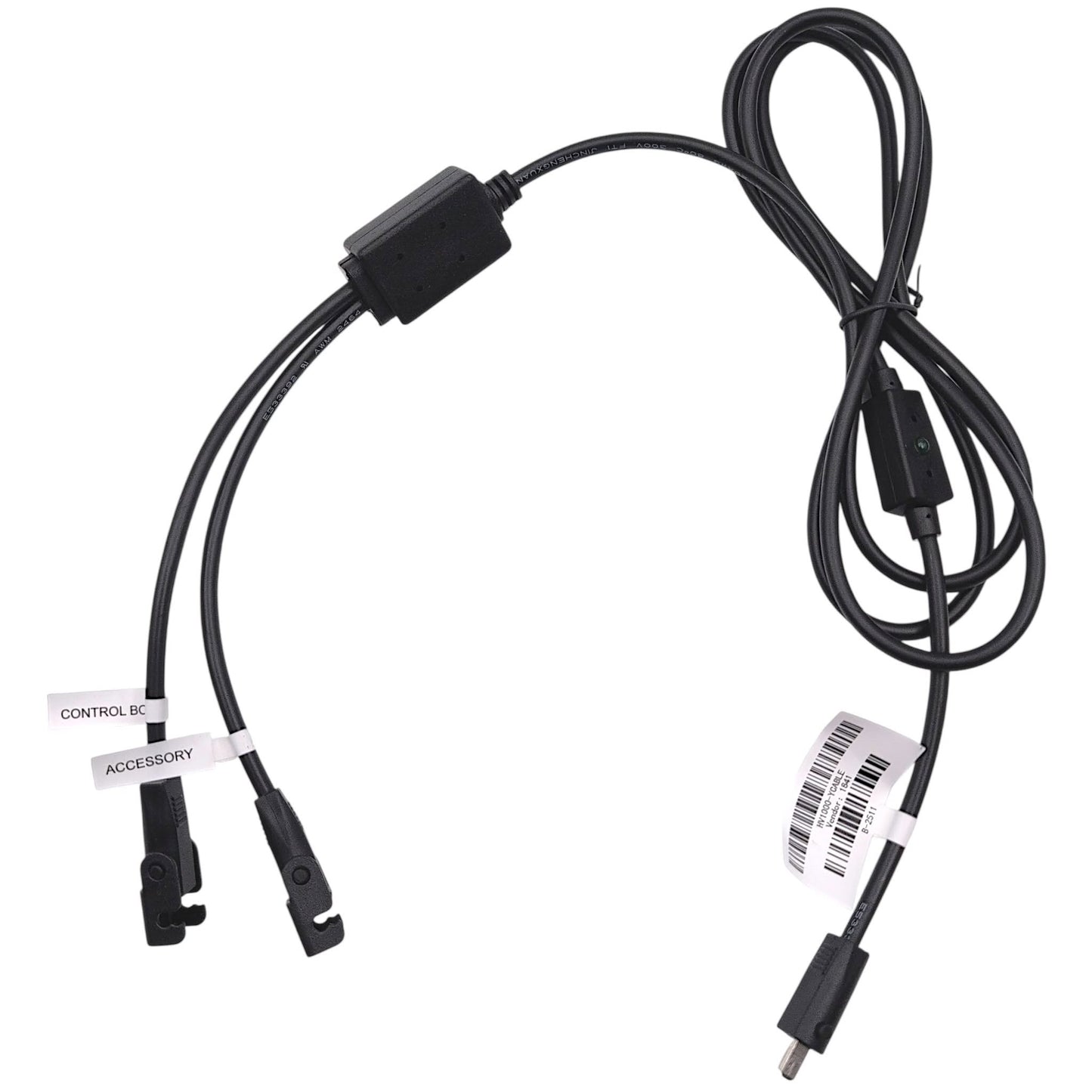
6-Foot Golden Technologies Low Voltage Y-Cable (Part Number: HV1000-YCABLE) OEM replacement DC power cable manufactured by Okin. This versatile splitter cable is used to route power between transformers, lift motors, control boxes, and accessory modules within various Golden lift chair models.
To assist with maintenance and repair, this cable features an integrated green diode indicator light, allowing for quick and straightforward troubleshooting of electrical connections.
- Manufacturer:
- Okin (For Golden Technologies)
- Part Number:
- HV1000-YCABLE
- Component Type:
- DC Power Cable / Y-Splitter
- Length:
- 6 ft.
- Indicator:
- Green Diode Light
Lift Chair Compatibility & Applications
Configuration by Zone:
- Zone 1 Chairs: Acts as a Y-Splitter connecting 2 lift motors to the transformer (DBC).
- Zone 2 Chairs: Standard Y-Cable for HV1000 Series. (With Heat & Vibration: Serves as a Full Body Heat Splitter cable connecting to main chair power - DS4 models).
- Zone 3 Chairs: Y-Cable connecting the control box to the transformer and accessory. (With Heat & Vibration: Serves as a Full Body Heat Splitter cable connecting to main chair power - DS4/ST4 models).
- Zone 4 Chairs: Y-Cable connecting the control box to the transformer and accessory. (With Heat & Vibration: Serves as a Full Body Heat Splitter cable connecting to main chair power - DS4 models).
- Zone 5 Chairs: Serves as a Full Body Heat Splitter cable connecting to main chair power (DS4 models). (Functions identically for Zone 5 models with Heat & Vibration).


Disclosures
California Proposition 65 Warning: Electrical Components
California Proposition 65 Warning: Electrical Components
• Choking Hazard: Small Parts
Choking Hazard: Small Parts
Choking Hazard: Small Parts
 Choking Hazard: Small Parts
Choking Hazard: Small Parts
Choking Hazard: Small Parts
Choking Hazard: Small Parts
Choking Hazard: Small Parts