Mega Motion
Moto Motion CM310K20(Logic4)-R1 Control Box | Mega Motion Lift Chairs
In stock
Couldn't load pickup availability
- Free 2-day shipping when you order before 2:00 PM EST (M-F)(Contiguous US Only)
- Need it tomorrow? Select overnight shipping at checkout before 2:00 PM EST (M-F)(Contiguous 48 states).
- 30 Day Return Policy
- Fulfillment: Usually ships in 1-2 business days
- This Product Is Backed By A 90-day Limited Warranty Against Manufacturing Defects
Product Description
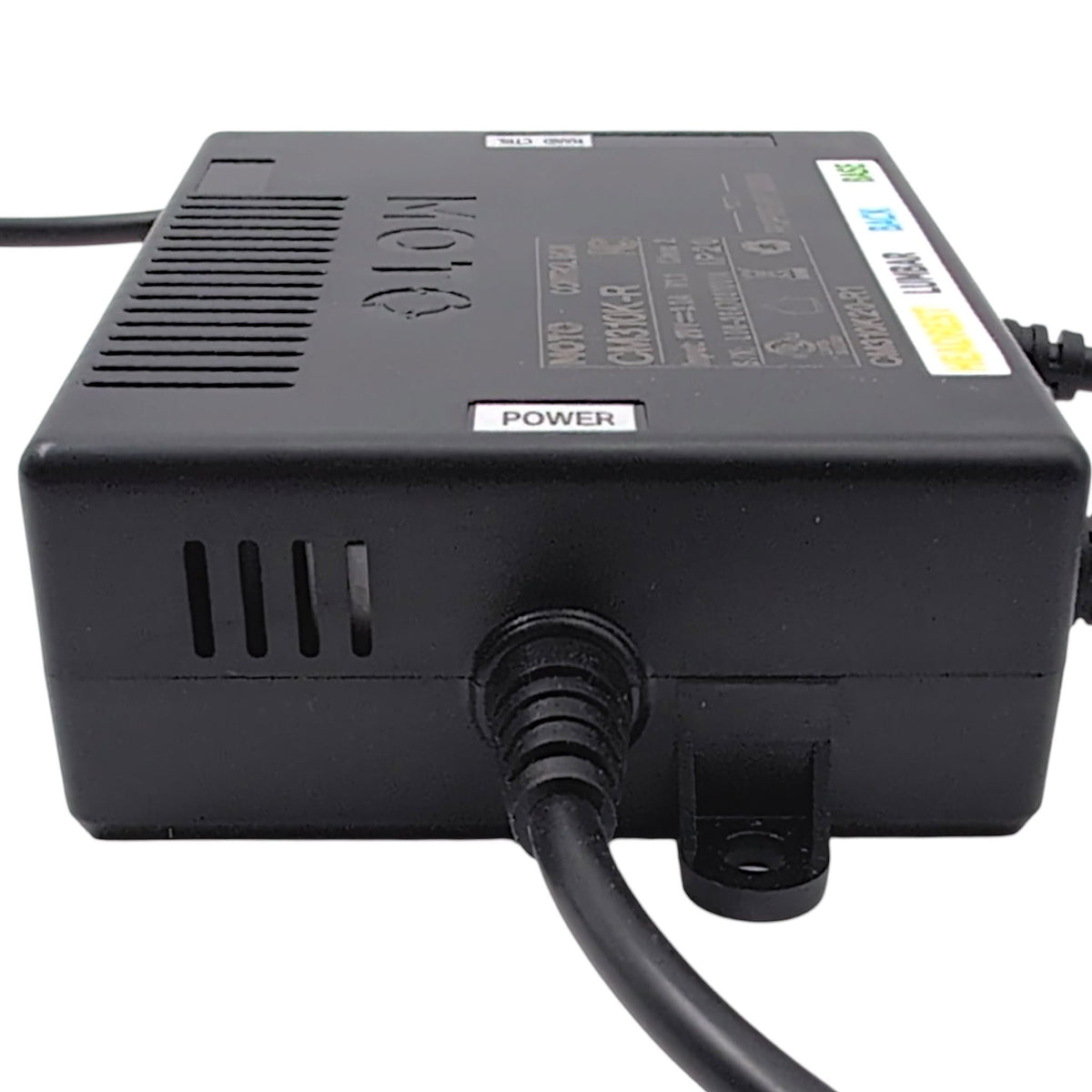
Genuine OEM replacement control box (Part Number: CTL2403531) manufactured by Moto Motion for Mega Motion power lift recliners. Also identified by Model Number: CM310K20(Logic4)-R1, this electronic controller is a direct replacement for the previous iterations CM310K20-R1 & CM310K20(Logic4)R. It utilizes a 2-pin male power connector and three color-coded 5-pin female ports with secure clamps to properly route the hand control, headrest, and base motors.
Description From The Pride Mobility Service Manual: Electronic, Control Box,(HHC: CM310K20-R1)
Specifications:
- Brand:
- Mega Motion (By Pride Mobility)
- Manufacturer:
- Moto Motion
- Part Number:
- CTL2403531
- Model Number:
- CM310K20(Logic4)-R1
- Replaces Part Numbers:
- CM310K20-R1, CM310K20(Logic4)R
- Moto Control Box Model ID:
- CM310K-R
- Power Connector:
- 2-Pin Male Connector (⚫ Black)
- 5-Pin Connectors (3 In Total):
- There are three 5-Pin Female Connectors with clamps for the Headrest (🟡 Yellow), Base (🟢 Green), and Hand Control (⚫ Black).
Compatibility
- Mega Motion Trio Mezzo:
- Model Number MM3600
-
Mega Motion Trio Elevato: - Model Number MM5401
Additional Specifications
- Input:
- 29 Volts DC / 3.0 Amps
- Safety Standards & Certifications:
- Class 2: Certified as a Class 2 power-limited circuit.
- IP20: Protected against solid objects over 12.5mm.
The review section found below is currently experiencing a technical glitch where reviews are hidden by default. As a temporary workaround, please first click the "Questions (0)" tab, then click back to the "Reviews (0)" tab to make them appear. We apologize for the inconvenience while this is getting fixed.
View full details