Nova Medical
Nova Compact Quad Cane Tip Base for 3/4" Canes (10041BK)
Nova Compact Quad Cane Tip Base for 3/4" Canes (10041BK)
In stock
Couldn't load pickup availability
- 30 Day Return Policy
- Fulfillment: Usually ships in 1-2 business days
- This Product Is Backed By A 90-day Limited Warranty Against Manufacturing Defects
Product Description
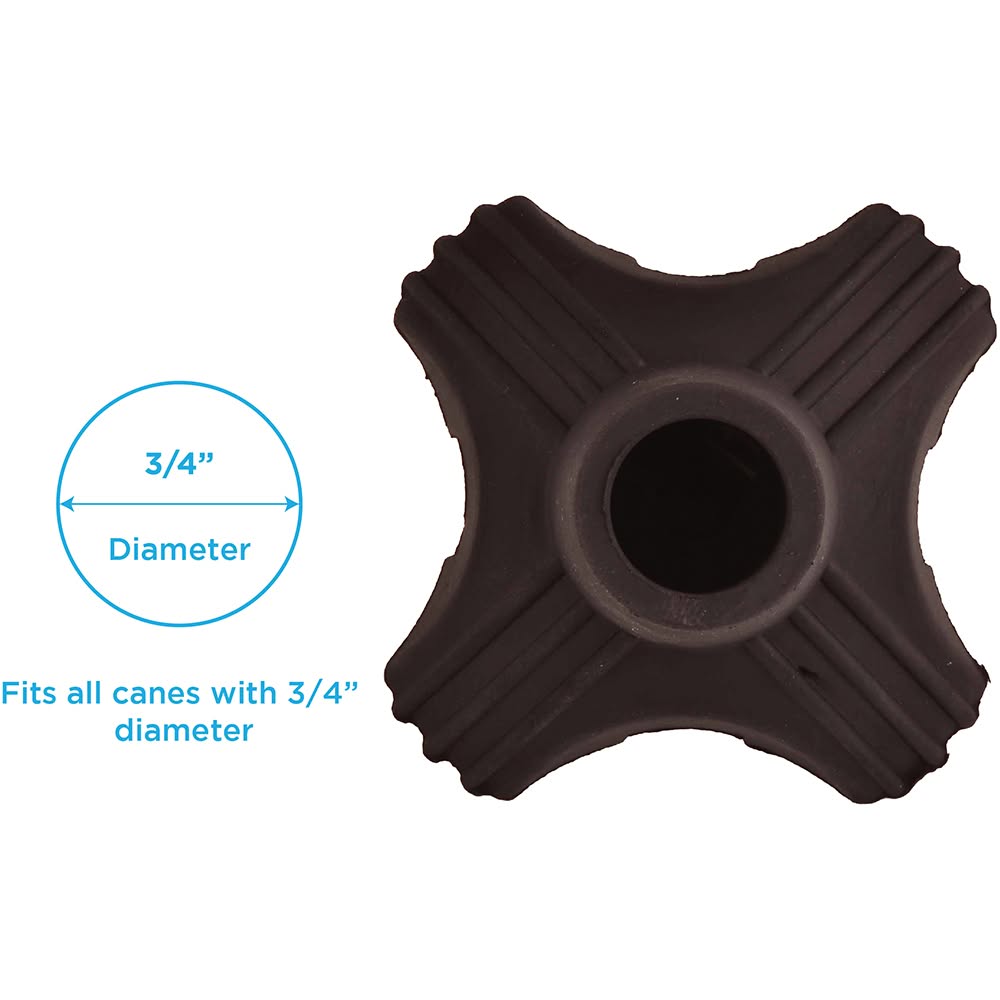
The Compact Quad Cane Tip Base (Item #: 10041BK) is a replacement cane tip designed to improve the traction, stability, and versatility of your standard mobility cane. Constructed from durable rubber, this quad tip features a flexible base that pivots as you walk, absorbing impact to reduce joint strain while maintaining a secure grip on both smooth and rugged surfaces.
Measuring 3 by 3 inches, this compact base allows your cane to stand upright independently so it is always within reach. Its smaller footprint makes it an excellent, lightweight option for travel, especially when paired with a folding cane.
Fitment & Stability Note: Verify your cane tubing measures exactly 3/4" (0.75 inches) before purchasing. Because of its compact 3" x 3" size, this tip will tip over more easily than larger, standard all-terrain bases.
- Item Number:
- 10041BK
- Component Type:
- Compact Quad Cane Tip Base
- Tubing Diameter Fit:
- 3/4" (0.75")
- Base Dimensions:
- 3" L x 3" W
- Material:
- Non-Skid Rubber
- Color:
- Black
Installation Instructions
- Firmly pull and twist to remove the existing tip from your cane.
- Insert the bottom of the cane tube into the opening of the new compact quad tip.
- Press the cane firmly down onto a hard, flat ground surface to ensure the tube is fully inserted and securely seated within the rubber base.