


1
/
of
4
Pride Mobility
Pride Speed Potentiometer Knob (DWR9983B030) | Go-Go, Victory, Pursuit
Pride Speed Potentiometer Knob (DWR9983B030) | Go-Go, Victory, Pursuit
1 review
Regular price
$17.62 USD
Regular price
$23.63 USD
Our Price
$17.62 USD
Free Shipping On Most Items Over $40+ (Contiguous US Only) Shipping: Calculated at checkout Shipping Policy
Special Order Ships from our Fairport, NY shop in about 1 week (5 business days)
Quantity
Couldn't load pickup availability
- 30 Day Return Policy
- Fulfillment: Special order – ships from our Fairport, NY shop in about 1 week (5 business days)
- This Product Is Backed By A 90-day Limited Warranty Against Manufacturing Defects
Product Description
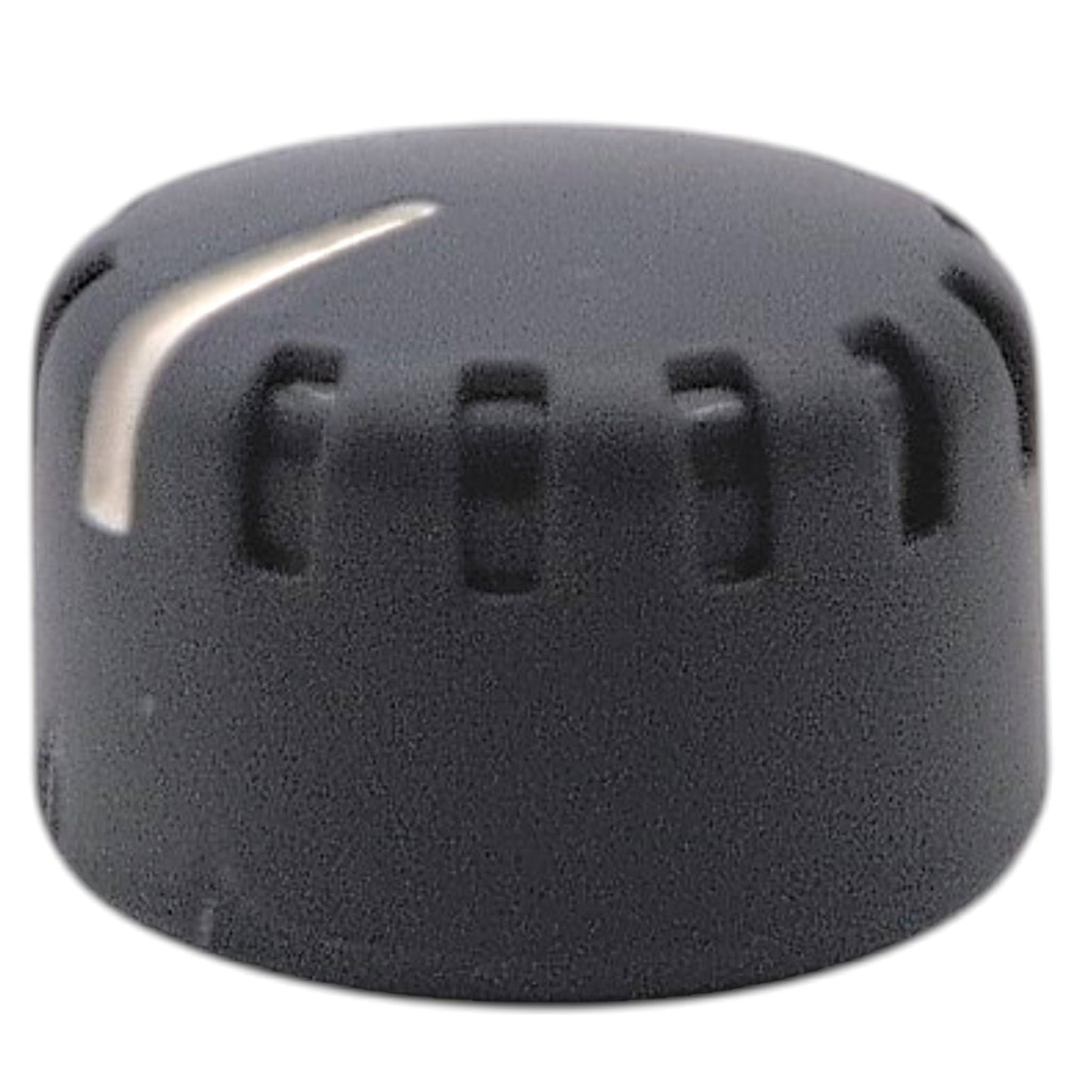
Genuine OEM Pride Mobility Speed Potentiometer Knob (Part Number: DWR9983B030). Gray plastic control knob with a white indicator line, providing visual feedback when adjusting the top speed of your mobility scooter.
Description From The Pride Mobility Service Manual: Knob, gray, plastic, speed pot, B-9983-030.
- Manufacturer:
- Pride Mobility (OEM)
- Part Number:
- DWR9983B030
- Component Type:
- Speed Control Potentiometer Knob
- Material:
- Plastic
- Color:
- Gray with White Indicator
Compatible Scooters
- Go-Go Elite Traveller Gen 3: SC443E
- Go-Go Elite Traveller Platinum Gen3: SC443EMS
- Go-Go Ultra X Gen 3: SC493
- Pride parts manual note: Models Ending In 1004 Or Subsequent (3-Wire Cts Throttle)
- Pride parts manual note: Models Ending In 1003 Or Prior (5-Wire Cte Throttle)
-
Go-Go Series:
- Go-Go Elite Traveller (SC40E / SC44E)
- Go-Go Elite Traveller LR (SC40LR / SC44LR)
- Go-Go Elite Traveller 2 (S442E)
- Go-Go Elite Traveller 2 Platinum (SC442EMS)
- Go-Go ES (S83 / S84)
- Go-Go Travel Pro (S36)
- Go-Go Travel Pro MD (SC336)
- Go-Go Ultra X (S39 / S49 / S40X / S44X)
-
Victory Series:
- Victory 9 (SC609 / SC709)
- Victory 9 Power Seat (SC609PS)
- Victory 9.2 (S6092 / S7092)
- VA Victory 9 (SC609V)
- Victory 10 (S610 / S710)
- Victory 10.2 (S6102 / S7102)
- VA Victory 10 (S610V / S710V)
- Victory ES 9 / 10 (S93 / S104)
- Victory Platinum (SC710PLA)
- Victory Sport (S710DXW)
-
Pursuit Series:
- Pursuit (SC713)
- Pursuit 2 (SC7132)
- Pursuit XL (S714)
-
Rascal Series:
- Rascal Conquest (RSC103 / RSC104)
- Rascal Venture (RSC39 / RSC49)


- 5 stars: 1 (100%)
- 4 stars: 0 (0%)
- 3 stars: 0 (0%)
- 2 stars: 0 (0%)
- 1 star: 0 (0%)
A
Anonymous It bee good and sheet.